

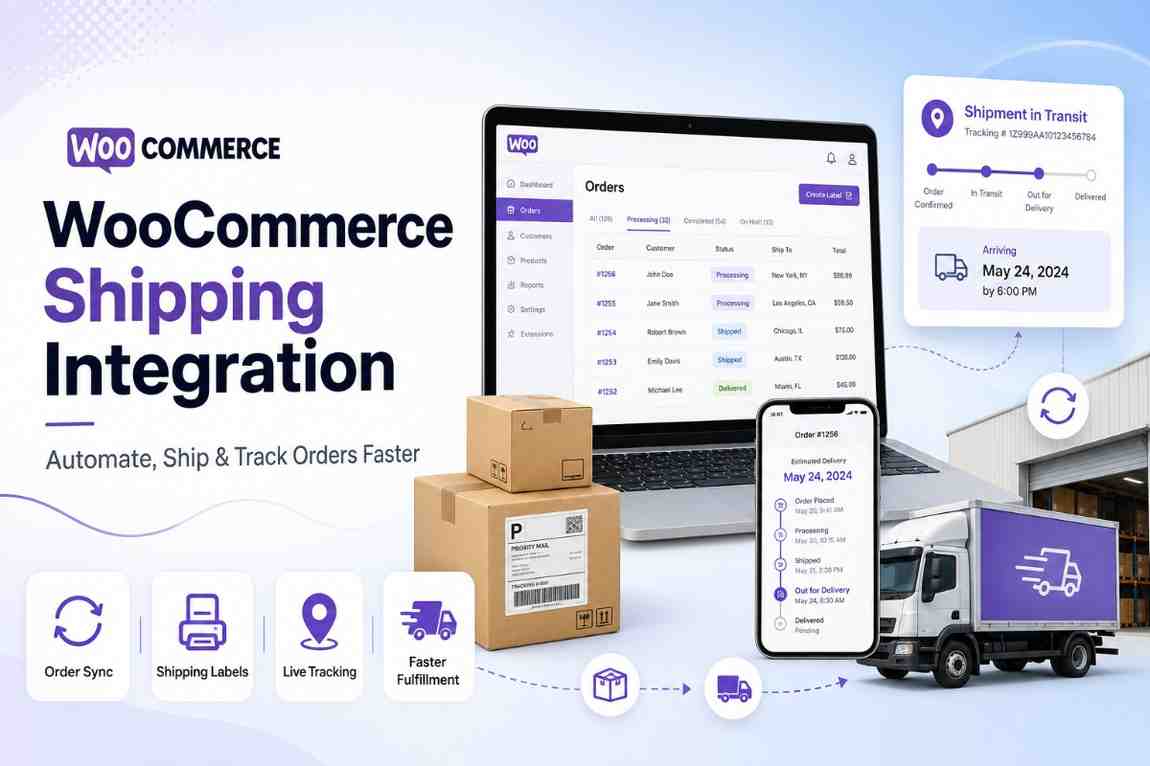
If you run an online store on WooCommerce, you already know the chaos that comes with order fulfillment — copying order details, logging into multiple courier websites, generating AWBs one by one, and then pasting tracking numbers back into each order. It's tedious, error-prone, and it slows your entire operation down.
WooCommerce shipping integration solves this by connecting your store directly to one or more courier services. Once integrated, your orders automatically flow from WooCommerce into the shipping platform. You can compare rates, assign couriers, generate labels, and send tracking updates to customers — all without leaving a single dashboard.
Think of it as building a bridge between your WooCommerce store and the logistics world. Instead of manually handling every shipment, the integration does the heavy lifting for you.
This is what modern eCommerce fulfillment looks like.
Let's put this into perspective with a few numbers.
WooCommerce powers hundreds of thousands of online stores worldwide, including a fast-growing base of sellers right here in India. At the same time, India's logistics market is projected to cross $300 billion by 2027, fueled largely by eCommerce expansion into Tier 2 and Tier 3 cities.
That adds up to a massive volume of orders shipped every single day, and yet most small and mid-size sellers are still managing fulfillment manually.
Here's why that's a problem and why a proper WooCommerce shipping integration isn't optional anymore:
When you process orders manually, every single shipment requires you to:
For 10 orders a day, that's annoying. For 100 orders a day, it's a nightmare. For 500+, it's simply not possible.
Without a rate comparison tool, most sellers default to one courier for everything. That courier might be cheap for metro deliveries but expensive for Tier 2 or Tier 3 cities. A good WooCommerce shipping integration lets you compare rates across multiple couriers for every single order—automatically picking the most cost-effective option.
Today's shoppers don't just want their order delivered — they want to know where it is at every stage. If your WooCommerce store doesn't send timely tracking updates, expect complaints, support tickets, and bad reviews.
High Return-to-Origin (RTO) rates are one of the biggest hidden costs in eCommerce. Without NDR (non-delivery report) workflows and address verification, failed deliveries pile up, and you end up paying for shipping both ways without making a sale.
A proper shipping integration handles all of this systematically.
Here's exactly what happens under the hood when you set up a WooCommerce shipping integration with a platform like Shipmozo:
You install a plugin or use an API key to connect your WooCommerce store to the shipping platform. This is usually a one-click process. Once connected, the platform gets read access to your orders.
Every new order placed on your WooCommerce store is automatically imported into the shipping dashboard. No copy-pasting, no manual uploads. The customer's name, address, phone number, pincode, and order details all come through cleanly.
The system checks rates across multiple courier partners for that specific order based on weight, dimensions, destination pincode, and delivery speed requirements. You see a comparison in seconds.
You can either manually choose the best courier, or set up auto-allocation rules so the system picks the right courier based on your predefined logic—cheapest option, fastest delivery, best performance on that pincode, COD preference, etc.
Once a courier is assigned, the system generates the shipping label and AWB number instantly. You can print labels in bulk, even across hundreds of orders.
The platform notifies the courier to schedule a pickup from your warehouse or fulfillment location. No separate calls or emails required.
As the shipment moves through the courier network, real-time tracking updates are pushed back to your WooCommerce store. Customers receive email or WhatsApp notifications automatically.
If delivery is successful, the order closes. If it fails, the NDR workflow kicks in—the system flags the order, attempts re-delivery coordination, and helps prevent unnecessary RTO.
That's the full lifecycle. And all of it happens without you manually touching a thing.
Not all WooCommerce shipping plugins are built the same. Here's what actually matters:
A good shipping integration should support multiple courier partners—at minimum 10 to 15, ideally 17+. This gives you rate flexibility, redundancy, and broader pincode coverage. Shipmozo, for example, connects with 27+ courier partners for both B2C and B2B shipments, including Delhivery, Xpressbees, DTDC, BlueDart, Shadowfax, and more.
Your WooCommerce orders should flow into the shipping dashboard automatically, without any manual intervention. Look for real-time sync, not just periodic batch imports.
The ability to compare courier rates side by side—filtered by price, speed, and serviceability—is non-negotiable. This alone can significantly reduce your per-shipment cost.
Advanced platforms like Shipmozo use an AI engine that automatically selects the best courier for each order by analyzing lane performance data, delivery speed, COD risk, and pincode-level serviceability. You don't have to pick manually—the system optimizes each shipment for you.
If you're shipping more than 20 orders a day, printing labels one by one is not sustainable. Bulk label generation lets you dispatch an entire day's orders in minutes.
Cash on Delivery is still massive in India — and managing COD reconciliation manually is a headache. Look for platforms that offer faster COD remittance cycles and a transparent COD dashboard. Shipmozo's COD remittance can reduce reconciliation time significantly, with one brand reporting a drop from 9 days to under 2 days.
Non-Delivery Reports (NDRs) are your front line against RTO. A shipping platform with structured NDR workflows, proactive reattempts, and address verification can meaningfully reduce your RTO rate. One Shipmozo customer brought their RTO from 18% down to single digits within 60 days.
Automated tracking updates via email, SMS, and WhatsApp keep customers informed and reduce "Where is my order?" support queries.
Be wary of platforms that charge per feature or lock you into long-term contracts. The best shipping integrations — including Shipmozo — are transparent about pricing with no hidden platform charges or subscription fees.
Setting up Shipmozo with your WooCommerce store is straightforward. Here's how it works:
Step 1: Create Your Shipmozo Account
Sign up at shipmozo.com. The onboarding process is designed to be simple, even for sellers just getting started.
Step 2: Go to Channel Integration
In your Shipmozo dashboard, navigate to the integrations/channels section and select WooCommerce.
Step 3: Connect via API or Plugin
Shipmozo supports one-click WooCommerce sync. You'll either install a compatible WordPress plugin or paste an API key from Shipmozo into your WooCommerce settings. Once connected, your orders will start appearing in the Shipmozo dashboard automatically.
Step 4: Configure Your Shipping Rules
Set up auto-allocation rules based on your preferences—cheapest courier, fastest delivery, specific courier for COD orders, etc. You can also configure pickup schedules and default warehouse addresses.
Step 5: Start Shipping
That's it. From this point, every new WooCommerce order flows into Shipmozo, gets a courier assigned, and has a label generated—without manual work.
Shipmozo covers 29,000+ pincodes across India and supports international shipping to 195+ countries via partners like DHL, FedEx, and Aramex. So whether you're shipping locally or globally, you're covered from day one.
Shipping costs are one of the most controllable expenses in eCommerce — if you have the right tools. Here's how smart WooCommerce sellers keep costs down:
Different couriers have different strengths. One might be cheapest for metro-to-metro shipments. Another might offer better rates for Tier 2 cities. Without a comparison engine, you're essentially leaving money on the table with every order. Shipmozo's rate calculator, for instance, helped one fashion brand cut their shipping costs by 22% simply by auto-selecting the right courier per zone.
Manual courier selection introduces inconsistency. AI-powered allocation analyzes historical performance data at the pincode level and assigns the best courier not just on price but also on delivery probability, which also reduces RTO costs.
Every RTO shipment costs you money twice — you pay for the forward shipment and the return. Structured NDR workflows with reattempt scheduling and address verification can significantly reduce your RTO rate, which directly improves your shipping economics.
Shipping aggregators typically negotiate bulk rates with courier partners that individual sellers can't access on their own. Platforms like Shipmozo pass these negotiated rates to their merchants, which is why you can often ship at lower per-kg prices through an aggregator than by going directly to a courier.
If your business involves both retail orders and bulk freight, using separate platforms for each adds cost and complexity. Shipmozo handles both B2C parcels and B2B freight from a single dashboard with unified tracking and reporting, which reduces operational overhead.
Wrong addresses, incorrect weights, and missing phone numbers cause failed deliveries and costly reruns. Auto-importing orders from WooCommerce eliminates the manual data entry that causes most of these errors.
Symptom: New WooCommerce orders don't appear in your shipping dashboard.
Fix: Check API key validity and re-authenticate the integration. Ensure your WooCommerce order status is set to "Processing" (most platforms only pull orders in processing status by default). Also verify that your WordPress site isn't blocking outgoing API requests due to hosting firewall rules.
Symptom: Customers see incorrect or very high shipping rates.
Fix: Make sure your product weights and dimensions are correctly entered in WooCommerce. Shipping rates are calculated based on this data. Also verify your shipping zones and methods are correctly configured in WooCommerce Settings > Shipping.
Symptom: Orders stay in "Shipped" status without tracking updates.
Fix: Most modern integrations use webhooks for real-time tracking sync — check if your webhook URL is correctly configured. If using a cron-based sync, verify that WordPress cron jobs are running properly on your hosting environment.
Symptom: A large percentage of orders are being returned to origin.
Fix: Enable address verification at checkout (pincode-based city/state auto-fill reduces input errors). Use NDR workflows to proactively manage failed delivery attempts. Also consider COD verification via WhatsApp or OTP before dispatching high-risk orders.
Symptom: COD payments take too long to reflect.
Fix: Use a shipping platform that offers faster remittance cycles and a transparent COD dashboard. Some platforms like Shipmozo offer significantly faster COD cycles than traditional direct-courier arrangements.
If you're running a WooCommerce store in India — whether you're shipping 20 orders a day or 2,000 — a proper shipping integration isn't a nice-to-have. It's the difference between a business that scales and one that gets buried in fulfillment chaos.
The core idea is simple: connect your store once, automate everything that can be automated, and let your team focus on growth instead of operations.
Shipmozo is built for exactly this use case. With 27+ courier partners, 29,000+ pincode coverage, AI-powered courier allocation, fast COD remittance, and structured NDR workflows, it gives WooCommerce sellers in India a complete shipping operations layer without the overhead.
No more copying order details. No more logging into five courier portals. No more manually updating tracking numbers. Just orders in, shipments out, and customers informed.
That's what WooCommerce shipping integration, done right, looks like.
WooCommerce shipping integration connects your WooCommerce store to one or more courier services or shipping aggregators. It automatically imports orders, enables rate comparison, generates shipping labels and AWBs, schedules pickups, and syncs tracking updates back to your store without manual intervention.
For Indian eCommerce sellers, Shipmozo is one of the top options. It connects with 27+ courier partners, including Delhivery, DTDC, Xpressbees, BlueDart, and Shadowfax; covers 29,000+ pincodes; and supports COD, NDR workflows, and international shipping.
Shipmozo does not charge subscription fees or hidden platform charges. You pay for shipping at the per-shipment rate negotiated with courier partners. There's no upfront cost to integrate your WooCommerce store.
Shipmozo supports 27+ courier partners for both B2C and B2B shipping within India and connects with DHL, FedEx, and Aramex for international shipments covering 195+ countries.
Yes. Platforms like Shipmozo support international shipping to 195+ countries via established global couriers. You can manage domestic and international orders from the same dashboard.
Shipmozo's AI engine analyzes multiple factors for each order—including destination pincode performance history, delivery speed benchmarks, COD risk scores, and cost—to automatically assign the most suitable courier. You can also override this with manual selection or predefined rules.
Yes. Most shipping integrations, including Shipmozo, support bulk label and invoice generation. This is especially useful for high-volume sellers who need to dispatch hundreds of orders quickly.
NDR stands for Non-Delivery Report. It's a notification generated when a courier is unable to deliver a shipment. NDR management involves proactive reattempt coordination, customer follow-up, and address correction—which reduces RTO rates and saves you from paying for failed deliveries.
For platforms like Shipmozo, the WooCommerce integration is a one-click process. Most sellers are fully set up and processing orders within the same day they sign up.


Diveya Mehta is a marketing and content specialist with 3+ years of experience, currently working with Shipmozo. With 1 year of hands-on experience in logistics, she creates practical, insight-driven content focused on shipping, courier performance, and eCommerce growth.





.webp)