

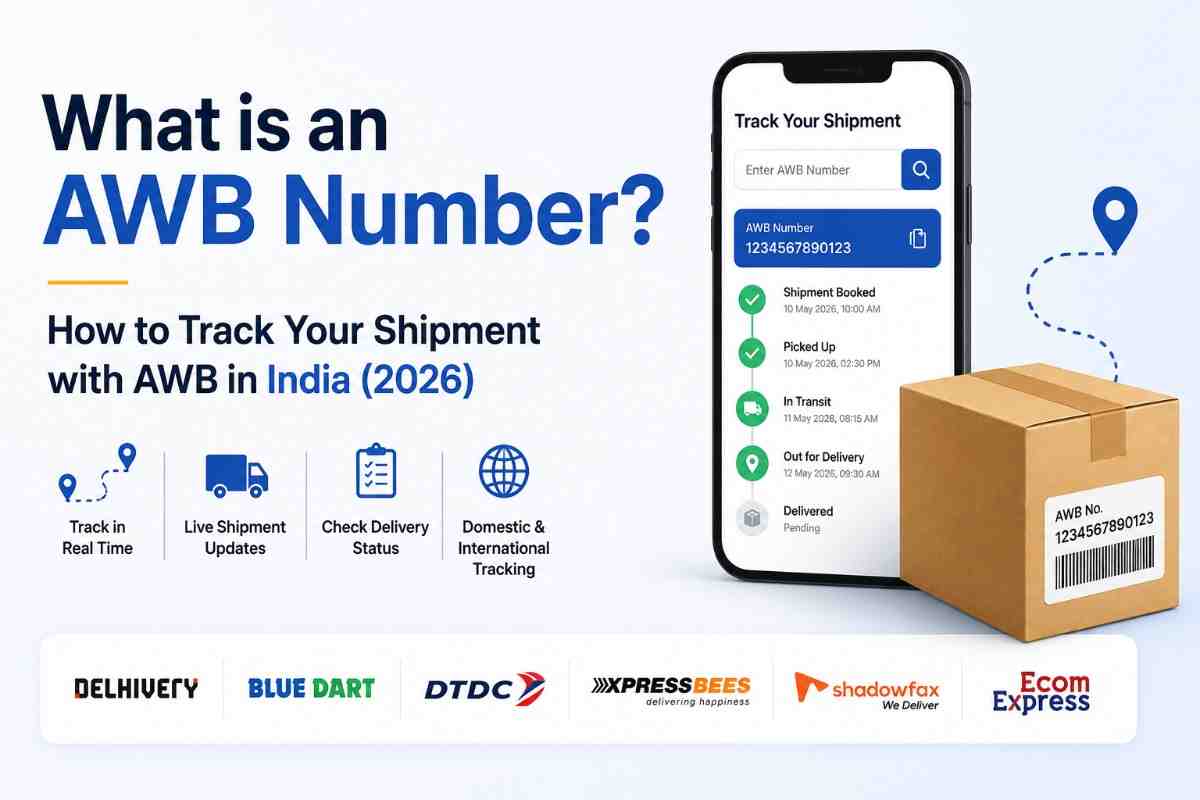
You placed an order. The seller sends you a number—12 to 15 digits long—and says, "Track your shipment with this."
That number is your AWB number.
An AWB number (Air Waybill number) is a unique tracking ID assigned to every shipment at the time of booking. It acts like a digital identity card for your parcel — every scan, movement, and delivery update is recorded against this number.
In simple words, AWB number = your shipment's ID. Without it, no one can locate your parcel in the system.
AWB stands for Air Waybill.
Originally, the term came from air freight, where every cargo shipment needed a waybill document for customs and airline records. Today, the term AWB is used for all types of shipments—air, road, and surface—across both domestic and international courier services in India.
Every shipment in India—whether it's a ₹200 product or a ₹200,000 machine—is assigned an AWB number for one reason: accountability.
Without an AWB number:
For eCommerce sellers, an AWB number is critical because it is the only proof that a shipment was actually dispatched. Every COD collection, every delivery confirmation, and every NDR (Non-Delivery Report) is linked to the AWB number.
Here is exactly how an AWB number is created and assigned:
A buyer places an order on your website or marketplace (Shopify, Amazon, Flipkart, etc.)
The seller (or their system) books the shipment on a shipping platform like shipmozo. The platform selects the courier automatically using AI.
The moment the shipment is booked, the courier's system generates a unique AWB number and assigns it to that order. This happens in seconds.
A shipping label with the AWB number (in text and barcode format) is printed and pasted on the package.
When the courier picks up the parcel, they scan the AWB barcode. This creates the first live tracking event—"Shipment Picked Up."
At every hub, warehouse, and sorting facility, the AWB barcode is scanned. This is how real-time tracking works.
When the parcel is delivered, the final scan closes the AWB with a "Delivered" status. For COD orders, the payment is also recorded against the AWB number.
If you are a buyer:
If you are a seller:
Every courier in India has a tracking page. Enter your AWB number there to get the latest status.
If you shipped through Shipmozo, log in to your dashboard and go to "Track Shipment." All your AWB numbers and their live statuses are visible in one place — no need to visit individual courier websites.
Shipmozo sends automatic delivery updates to both the seller and buyer via WhatsApp and SMS at every key milestone—pickup, in transit, out for delivery, delivered, or failed attempt. No manual tracking needed.
Platforms like AfterShip or 17Track allow you to enter any AWB number and track across multiple couriers from one place.
Yes, in most cases.
In Indian eCommerce, the terms "AWB number," "tracking number," "tracking ID," and "consignment number" are all used interchangeably—they all refer to the same unique shipment ID.
This is one of the most searched topics by Indian buyers and sellers. Here's a clear breakdown:
AWB has been generated, but the courier has not yet picked up the parcel. The seller has booked the shipment, but it's still at the warehouse.
The courier agent has collected the parcel from the seller. The first live scan has happened. Tracking is now active.
The parcel is moving between courier hubs or sorting facilities. Multiple "In Transit" updates may appear as it passes through different cities.
The parcel is on the delivery vehicle and will be delivered today. This is the final mile of the journey.
The parcel has been successfully handed over to the recipient. For COD orders, payment has been collected.
The courier tried to deliver but couldn't. Reasons include the recipient not being available, the wrong address, the gate being closed, or the refusal of delivery. An NDR (Non-Delivery Report) is generated.
After multiple failed delivery attempts, the parcel is being sent back to the seller's warehouse. This is a costly outcome for eCommerce sellers.
The parcel has returned to the seller's address and been handed over.
In rare cases, the shipment may be reported as damaged or lost in transit. A claim must be raised immediately with the courier using the AWB number as reference.
Problem 1: AWB shows "No Records Found." The shipment may have just been booked and not yet scanned. Wait 2–6 hours after booking for the AWB to activate on the courier's system.
Problem 2: AWB was cancelled and reassigned. If the shipment was cancelled and rebooked, the old AWB is deactivated, and a new one is issued. Always use the latest AWB number.
Problem 3: Wrong courier website Each courier's AWB only works on their own portal. A Delhivery AWB will not show results on the BlueDart website. Match the courier name to the right tracking URL.
Problem 4: AWB stuck on "Picked Up" for 3+ days The shipment may be delayed at a hub. Contact Shipmozo support with your AWB number, and they will escalate directly with the courier on your behalf.
Problem 5: AWB shows "Delivered," but the buyer says not received. Request the ePOD (Electronic Proof of Delivery) from Shipmozo. The ePOD includes the receiver's name, signature, and delivery timestamp—essential for dispute resolution.
Managing AWB numbers across 27+ courier partners manually is a nightmare. Shipmozo solves this completely:
Auto AWB Generation—The moment you book a shipment, an AWB number is auto-generated and assigned. No manual steps needed.
Centralized AWB Dashboard — All your AWB numbers across all courier partners are visible in one place. Search by order ID, AWB number, buyer name, or date range.
Automatic Buyer Notifications — shipmozo sends real-time WhatsApp and SMS alerts to your buyers at every AWB status update, reducing "Where is my order?" calls by up to 40%.
Branded Tracking Page — Instead of sending buyers to the courier's generic website, shipmozo gives you a branded tracking page with your logo and colors. Buyers track their order in your ecosystem.
ePOD on Every Delivery—Electronic Proof of Delivery is available for every AWB—instantly accessible from your dashboard for dispute resolution.
NDR Automation—When an AWB shows a failed delivery, Shipmozo automatically triggers reattempt workflows—WhatsApp follow-ups, IVR calls, and SMS alerts—to recover the order before it becomes an RTO.
Lost Shipment Support — If an AWB goes silent or a shipment is lost, your dedicated Shipmozo Key Account Manager raises and follows up on the claim with the courier directly.
Whether you're a buyer waiting for your order or an eCommerce seller managing 1,000 shipments a day, the AWB number is the single most important piece of information in your shipping lifecycle.
It tracks your parcel. It proves delivery. It resolves disputes. It processes COD payments. And it prevents returns.
For sellers shipping at scale, managing AWB numbers across multiple couriers manually is time-consuming and error-prone. Shipmozo eliminates this by generating, tracking, and managing all AWB numbers automatically—across 27+ courier partners from one centralized dashboard.
Ship smarter. Track better. Deliver more—with Shipmozo.
An AWB (Air Waybill) number is a unique tracking ID assigned to every shipment at the time of booking. It is used to track the parcel's journey from pickup to delivery across all courier checkpoints.
Yes. In Indian eCommerce, AWB number, tracking number, tracking ID, and consignment number all refer to the same thing — the unique ID used to track your shipment.
For domestic shipments in India, AWB numbers are typically 12 to 15 digits long and numeric. For international shipments, they may be alphanumeric (a mix of letters and numbers).
An AWB number becomes active and shows tracking results within 2 to 6 hours of shipment pickup by the courier. If just booked but not yet picked up, it may show "No Records Found."
No. The AWB number is the only identifier that courier systems use to track shipments. Without it, tracking is not possible. Always save your AWB number at the time of booking.
First, confirm the AWB is at least 6 hours old. Then verify you are searching on the correct courier's website. If it's still not working, contact Shipmozo support with your order ID, and they will resolve it.
Yes. If an order is split into multiple packages (split shipment), each package gets its own AWB number. Also, if an original AWB is cancelled and re-booked, a new AWB is issued.
Log in to your Shipmozo dashboard, go to "My Shipments," and find your order. The AWB number is displayed next to every shipment. You can also find it on the printed shipping label.
AWB (Air Waybill) is the tracking ID assigned before the shipment moves. POD (Proof of Delivery) is the confirmation document generated after the shipment is successfully delivered — it includes the receiver's name, signature, and timestamp.
Once a shipment is delivered, the AWB is marked as "Closed" or "Delivered" in the system. The tracking record is retained for 90–180 days (varies by courier) for dispute or claim purposes.
In most cases, no — once an AWB is generated and the shipment is picked up, the address cannot be changed directly. Contact Shipmozo support immediately if an address correction is needed, and they will coordinate with the courier on your behalf.
NDR (Non-Delivery Report) is a status triggered when a delivery attempt fails. It appears on the AWB tracking as "Delivery Attempted" or "Failed Delivery." Shipmozo automatically triggers reattempt workflows for NDR shipments to recover the delivery before it becomes an RTO.


Ankit Debnath is a sales and marketing professional with 4+ years of experience in the logistics industry, specializing in managing B2B and B2C key accounts. At Shipmozo, he focuses on driving growth through client acquisition, lead generation, and strategic relationship management. Passionate about building strong client relationships and delivering results, he brings a practical, growth-oriented approach to logistics and business expansion.





.webp)