

If you're running a Shopify store in India and still booking shipments manually, you're losing money on every single order—through RTO, delayed COD, and courier mistakes that could have been avoided. For Shopify sellers, India's e-commerce RTO rates range from 25–40%, depending on category; COD remittance can take 12 to 15 days; and a single bad courier choice can cost you a customer permanently.
If you're still managing shipping manually — juggling courier websites, generating labels one by one, and chasing tracking updates — you're adding unnecessary risk to every order you ship.
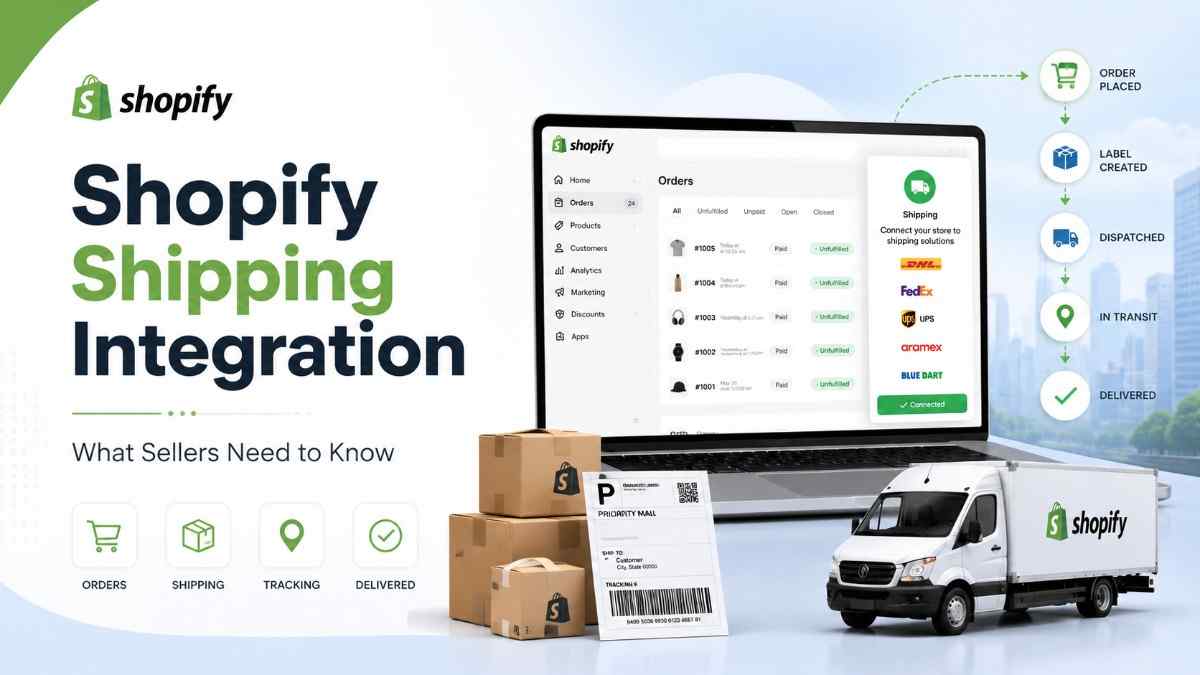
Shopify shipping integration fixes this. By connecting your store directly to Shipmozo, your orders sync automatically, the right courier is selected based on pincode-level data, and your entire shipping operation runs from one place. Here's everything you need to know to set it up.
When someone places an order on your Shopify store, something has to happen next — the order needs to be packed, a courier needs to be booked, a shipping label needs to be printed, and the customer needs to be notified with a tracking link.
If you're doing all of this manually, it looks like this:
When you're shipping 10 orders a day, this is annoying. When you're shipping 100, it breaks your entire operation.
It means connecting your Shopify store directly to a shipping platform—so the moment an order is placed, it automatically appears on your shipping dashboard, complete with the customer's name, address, phone number, and order details. No downloading, no copy-pasting, no manual entry.
From there, you can compare courier rates, select the best option, generate labels in bulk, and send tracking links to customers — all from one place.
Think of it as a direct pipe between your Shopify store and your logistics operation. Orders flow in automatically. Shipments flow out efficiently.
With Shipmozo's Shopify integration specifically, this setup takes under 5 minutes — and once it's done, you never have to touch order data manually again.
Selling on Shopify in India is fundamentally different from selling in the US or Europe. The logistics challenges here are unique — and if you're not set up to handle them, they will quietly eat into your margins and your customer retention.
Here's what you're actually dealing with:
Over 60% of Indian online orders are still placed as cash on delivery. That means you're dispatching goods today but waiting 12–15 days to receive the payment across multiple couriers, each with their own remittance cycle and reconciliation process. Without a centralized platform, tracking what you're owed becomes a full-time job.
India has some of the highest return-to-origin rates in the world—anywhere from 25 to 40%, depending on your category. Every returned order costs you forward shipping, reverse shipping, repackaging, and a lost customer. The two biggest causes are wrong courier selection for a pincode and poor follow-up when a delivery attempt fails. Both are preventable with the right system.
A courier that delivers reliably in Mumbai or Delhi may have a 40% failure rate in a Tier 2 or Tier 3 city. If you're locked into one or two couriers, you're either turning away customers in certain pincodes or accepting high failure rates in others. Access to multiple couriers — with data on which one performs best where — is not optional at scale.
Every courier charges differently based on weight, zone, order type, and whether it's COD or prepaid. If you're manually checking rates across 4–5 couriers before every shipment, you're spending hours each week on a task that should take seconds.
A shipping aggregator like Shipmozo connects you to 27+ courier partners through a single platform—with real-time rate comparison, pincode-level courier recommendations, automated NDR follow-ups, and COD remittance in 7–9 days. When you integrate it directly with your Shopify store, your orders flow in automatically, and every one of these problems is handled without manual intervention.
The setup is simple and one-time. Once it's done, your entire shipping operation runs automatically. Here's exactly what happens at each step:
Step 1 — Create Your Shipmozo Account
Go to Shipmozo.com and sign up. There's no minimum order volume required to get started and no setup fee. Whether you're shipping 10 orders a month or 10,000, the account creation process is the same—it takes under 2 minutes.
Step 2 — Connect Your Shopify Store
Inside your Shipmozo dashboard, go to Integrations and select Shopify. You'll be asked to enter your Shopify store URL and click Authorize. Shopify will confirm the connection on its end. The entire process takes under 3 minutes and requires no developer, no code, and no plugin installation.
Step 3 — Your Orders Start Syncing Automatically
The moment a customer places an order on your Shopify store, it appears on your Shipmozo dashboard in real time — with the customer's name, delivery address, phone number, order value, and product weight already filled in. Nothing to download. Nothing to copy-paste. Zero manual entry from this point forward.
Step 4 — Pick a Courier and Generate Your Labels
Shipmozo's recommendation engine analyzes each order's destination pincode, the delivery performance history of available couriers on that route, and the applicable rates—then suggests the best courier for that specific shipment. You can accept the recommendation or choose manually. Once confirmed, generate shipping labels for all your orders in one click, in bulk.
Step 5 — Track Every Shipment From One Place
After dispatch, every shipment — whether it's going via Delhivery, BlueDart, Xpressbees, Ekart, Ecom Express, or any other courier — is tracked from a single Shipmozo dashboard. No more opening five different courier websites to check status. No more copy-pasting AWB numbers. Your entire order pipeline, live, in one view.
Once your Shopify store is connected to Shipmozo, here's what you get out of the box:
Every new order placed on your Shopify store appears instantly on your Shipmozo dashboard — with the customer's name, address, phone number, order value, and product weight already populated. No CSV exports, no manual data entry, no copy-paste errors. Your order data is always accurate and always ready to ship.
Shipmozo doesn't just show you a list of couriers — it tells you which one to use. The platform analyses pincode-level delivery performance data across all courier partners and recommends the option most likely to result in a successful first-attempt delivery. Fewer failed deliveries mean lower RTO before the package even leaves your warehouse.
Before you book any shipment, see the exact rates from 27+ courier partners side by side—broken down by surface, air, express, and economy options. No calling courier reps, no outdated rate cards. You pick what makes sense for your margin and your customer's delivery expectation.
Whether you're processing 50 or 500 orders, you don't do them one by one. Select all your orders, confirm the couriers, and generate every shipping label in a single click. Each label is automatically mapped to its Shopify order ID, so there's no room for mix-ups at dispatch.
When a customer asks, "Where is my order?" the answer shouldn't take them to a generic courier website with no connection to your brand. Shipmozo lets you share a branded tracking page with your store's logo, colors, and messaging—turning a routine post-purchase moment into a branded experience that builds trust and cuts support tickets.
When a delivery attempt fails, most couriers just mark it as undelivered and move on. Shipmozo's NDR workflow kicks in automatically, triggering follow-up calls and WhatsApp messages to the customer to confirm address details and reschedule delivery. This directly reduces the number of shipments that end up returning to your warehouse.
For most aggregators, COD remittance takes 12–15 days. Shipmozo processes it in 7–9 days, which means your working capital isn't tied up waiting for cash to come back from couriers. For D2C brands running on tight inventory cycles, this difference is significant.
Courier companies frequently raise weight disputes—charging you for a higher weight than what you actually shipped. These charges are often small individually but add up to thousands of rupees over time. Shipmozo flags every discrepancy and gives you the data to raise disputes and recover incorrect charges systematically.
Connecting to Shipmozo means instant access to India's top courier network—no separate rate negotiations, no individual agreements, and no multiple logins.
For every order, Shipmozo automatically selects the right courier based on the destination pincode, shipment weight, and order value—so you're never guessing.
Just starting out? Set up the integration on day one. Shipmozo has zero minimum order volume, so there's no threshold to hit before you can use it. Good shipping habits early = fewer costly mistakes later.
At this volume, manual shipping is no longer a process — it's a bottleneck. Every hour spent copy-pasting orders, calling couriers, and updating tracking is an hour not spent on growth. Integration eliminates this entirely and automatically.
COD orders come with two hidden costs: slow remittance cycles that hurt your cash flow, and unmanaged NDRs (non-delivery reports) that quietly spike your RTO rate. Shipmozo is purpose-built for both.
Not every courier delivers reliably to every pincode. Shipmozo's recommendation engine automatically assigns the best courier for each delivery location—so you stop losing orders to "unserviceable area" errors.
Managing shipments across platforms from separate dashboards wastes time and causes errors. Shipmozo consolidates all your channels into one place—one login, one view, one workflow.
Create your free Shipmozo account →
Go to your Shipmozo dashboard → Integrations → Select Shopify → Enter your store URL → Authorize the connection. The entire setup takes under 5 minutes and requires zero technical knowledge.
Yes, the integration is completely free — no setup fee, no monthly charge. You only pay for the shipments you actually book.
No. The moment an order is placed on your Shopify store, all details — customer name, address, phone number, and order value — are automatically pulled into your Shipmozo dashboard.
You get instant access to 27+ couriers, including Delhivery, BlueDart, Ekart, Xpressbees, Ecom Express, Shadowfax, DTDC, FedEx, and Aramex. No separate agreements needed with any of them.
Shipmozo's smart engine analyses pincode-level delivery performance, transit time, and rates across all courier partners. It recommends the courier most likely to deliver successfully — you can always override it manually.
Shipmozo supports full bulk processing — select all your orders, generate labels in one click, and dispatch in minutes. There is no cap on how many orders you can process at once.
Yes. If you run more than one Shopify store, all of them can be connected to and managed from a single Shipmozo dashboard—no separate logins needed.


Ankit Debnath is a sales and marketing professional with 4+ years of experience in the logistics industry, specializing in managing B2B and B2C key accounts. At Shipmozo, he focuses on driving growth through client acquisition, lead generation, and strategic relationship management. Passionate about building strong client relationships and delivering results, he brings a practical, growth-oriented approach to logistics and business expansion.





.webp)