

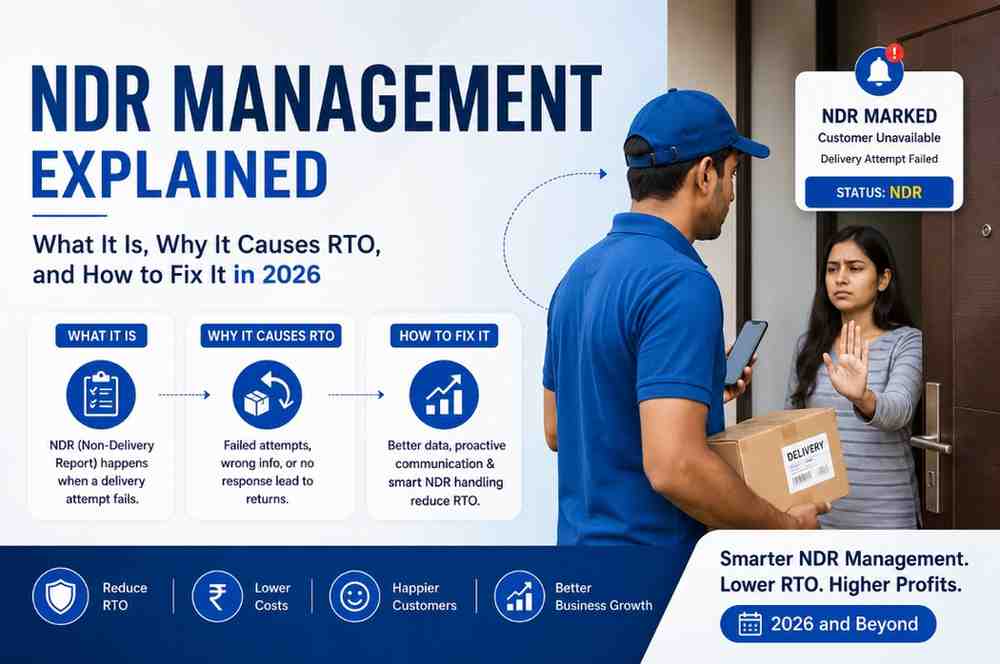
Every unresolved NDR becomes an RTO within 3–5 days. Yet most Indian eCommerce brands have no structured NDR workflow—they rely on the courier to retry, hope the customer picks up, and absorb the loss when the shipment comes back. That passive approach costs Indian D2C sellers an estimated ₹4,200 crore annually in reverse logistics alone.
NDR full form: Non-Delivery Report.
An NDR is a status update raised by a courier partner when a delivery attempt fails and the shipment cannot be handed over to the customer. It is not a final outcome — it is a signal that something went wrong at the last mile, and you have a narrow window (typically 24–48 hours) to intervene before the order is marked undeliverable and returned to your warehouse.
NDR is sometimes also called the following:
For Indian eCommerce sellers, NDR is one of the most important statuses to track—because unlike "in transit" or "delivered," an NDR is an active problem that gets worse the longer you ignore it.
Understanding why an NDR was raised determines how you respond. Couriers assign reason codes to every NDR, and each code demands a different action.
Customer Not Available (CNA) — The most common NDR reason in India, accounting for roughly 35–40% of all NDRs. The customer wasn't home or didn't answer the door at the time of the delivery attempt. This is fixable with a simple reschedule message.
Wrong or Incomplete Address — The address on the shipping label is incorrect, incomplete, or doesn't match what the delivery agent finds on the ground. Fixing this requires collecting the correct address from the customer and updating it with the courier before the next attempt.
Customer Refused Delivery — The customer was present but declined to accept the package. This often happens with COD orders where the customer changed their mind or with prepaid orders where the product didn't match expectations. Refused deliveries need a different response — a retention conversation, not just a reschedule.
Phone Not Reachable / Not Picking Up — The delivery agent couldn't reach the customer by phone. This often layers on top of another reason (CNA + not reachable) and requires a fresh contact attempt from your end, not the courier's.
Future Delivery Requested — The customer asked the agent to come back on a specific date. This needs to be logged in your system and followed up to ensure the rescheduled attempt is actually made.
Premises Closed / Not Found — Common in B2B or commercial deliveries. The business was shut, or the address couldn't be located. Requires address verification before retry.
Here's the mechanics of how an NDR becomes an RTO — and why the window to act is so short.
Most courier partners allow a maximum of 3 delivery attempts per shipment. After the third failed attempt, the shipment is automatically flagged for return and moved into the reverse logistics queue. Once that process starts, pulling the shipment back is operationally difficult and often impossible.
The timeline looks like this:
Day 0: First delivery attempt fails → NDR raised
Day 1–2: Courier makes second attempt (often without any new information)
Day 3–4: Third attempt fails → shipment flagged for RTO
Day 7–10: Shipment arrives back at your warehouse
Day 15–21: COD amount (if any) is released back — but the forward + reverse shipping cost is already gone
The critical intervention window is Day 0 to Day 1 — the 24 hours between the first NDR and the second delivery attempt. If you reach the customer, get updated information, and pass it to the courier before the second attempt, your chances of converting that NDR to a successful delivery are 60–70%. After the second attempt fails, that number drops to under 30%.
Most sellers miss this window because NDR alerts from couriers are slow, inconsistent, or buried in a dashboard nobody checks in real time.
A structured NDR management workflow has four stages: Detect, Diagnose, Engage, and Resolve.
Stage 1 — Detect (within 15 minutes of NDR) Set up webhook-based NDR alerts from your courier or logistics aggregator directly into your OMS, Freshdesk, or a dedicated NDR dashboard. The goal is to know about a failed delivery before the courier's next attempt — not after. Every hour of delay here costs you resolution options.
Stage 2 — Diagnose (15–30 minutes) Pull the NDR reason code and categorize the shipment: Is this a CNA (reschedule)? A wrong address (collect and update)? A refusal (retention conversation)? Each bucket gets a different response script and a different urgency level. High-value COD orders go to the top of the queue.
Stage 3 — Engage (within 4 hours of NDR) This is the most important stage. Reach the customer through three channels in parallel:
The message tone matters. "We tried to deliver your order and missed you — here's how to reschedule" converts far better than a generic courier SMS. Use your brand voice, not logistics jargon.
Stage 4 — Resolve (before next delivery attempt) Based on the customer's response, confirm a new delivery slot and pass it to the courier; update the address if it was wrong; or—if the customer is unresponsive after two contact attempts—make a business decision: one final attempt with a prepaid conversion offer or initiate a voluntary return to avoid a third failed attempt and the associated reverse logistics cost.
One of the biggest barriers to structured NDR management for brands shipping under 2,000 orders a month is the cost and complexity of setting up a calling infrastructure. Hiring ops staff, integrating IVR systems, and managing courier webhooks is significant overhead when you're still growing.
Shipmozo addresses this directly with a built-in free NDR calling feature — one of the few Indian logistics aggregators to offer this at no additional cost. When an NDR is raised on any shipment processed through Shipmozo, the platform automatically triggers an outbound call to the customer on your behalf, delivers a voice message with re-delivery instructions, and logs the response back into your dashboard. For brands that don't yet have a dedicated logistics ops function, this essentially automates Stage 3 of the workflow described above without any additional tooling or headcount.
Combined with Shipmozo's multi-courier dashboard — which aggregates NDR data across Delhivery, Xpressbees, Ekart, and other partners in one place — it gives growing D2C brands a level of NDR visibility and response capability that previously required enterprise-grade logistics software. If you're losing orders to unresolved NDRs and don't have the infrastructure to build a manual workflow yet, Shipmozo's NDR calling is the fastest way to plug that gap.
Every RTO reduction strategy ultimately comes down to what you do in the 24 hours after a delivery attempt fails. Address validation and COD verification reduce the volume of NDRs you receive. Risk scoring reduces the share of high-risk orders in your pipeline. But it's NDR management—the speed and quality of your response to a failed attempt—that determines whether a struggling shipment becomes a successful delivery or a ₹300 loss.
Build the workflow, automate what you can, and measure your NDR resolution rate every week. Brands that do this consistently don't just reduce RTO — they build a last-mile operation that compounds into a genuine competitive advantage in a market where most sellers are still hoping the courier figures it out.
NDR stands for Non-Delivery Report. It is a status raised by a courier when a delivery attempt fails and the package cannot be handed to the customer.
An NDR is a failed delivery attempt—it is still recoverable. An RTO (Return to Origin) is what happens when all delivery attempts are exhausted and the shipment is sent back to the seller. Every RTO starts as an NDR; not every NDR becomes an RTO.
Most major Indian couriers—Delhivery, Xpressbees, Ekart, and Bluedart—make 3 delivery attempts before initiating RTO. Some allow a 4th attempt if the seller explicitly requests it with updated customer information.
The most effective interventions are: COD order verification before dispatch (eliminates fake/impulsive orders that will refuse delivery), real-time NDR alerts with a 4-hour response SLA, WhatsApp-based customer outreach with reschedule links, and address validation at checkout to prevent wrong-address NDRs before they happen.
Best-in-class Indian D2C brands resolve 35–45% of NDRs into successful deliveries. If your resolution rate is under 20%, your outreach workflow is the problem — not the courier.
Shipmozo offers built-in free NDR calling for shipments processed through its platform, making it one of the most accessible starting points for brands that don't yet have a dedicated NDR management stack.


Neha Pant works in business development at Shipmozo, where she focuses on helping eCommerce and D2C brands simplify their logistics and scale operations efficiently. She is passionate about understanding real shipping challenges and connecting businesses with the right solutions.





.webp)