

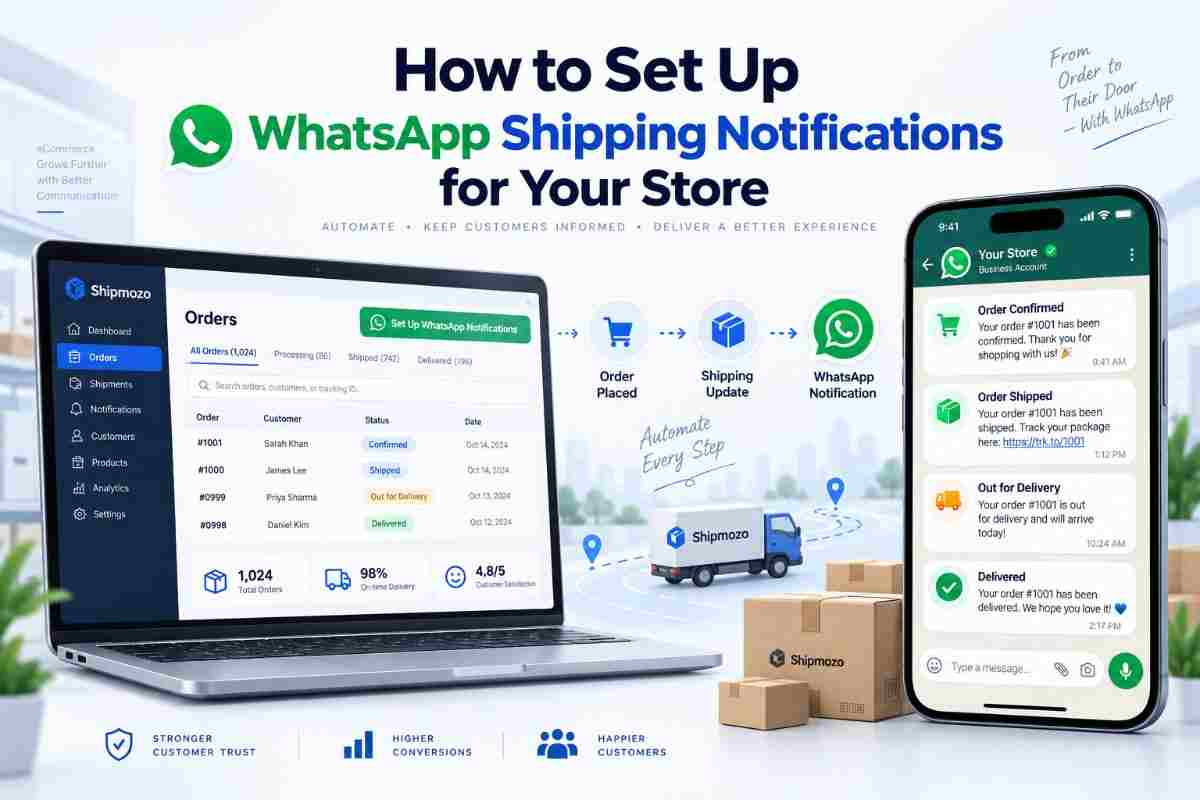
Customers want visibility after placing an order. They want to know if the order has been confirmed, when it has been dispatched, whether it is out for delivery and when it has reached them. For an ecommerce store, timely updates reduce repetitive “Where is my order?” messages and give customers a clearer post-purchase experience. A well-planned whatsapp shipping notifications setup can support that process by sending relevant shipment updates through a channel many customers already check.
However, enabling alerts is only one part of the job. Store owners also need to decide which shipment events should trigger a message, how order data will move from the store to the shipping system, what the message should say and how exceptions such as failed delivery attempts will be handled. Poorly configured alerts can create confusion, duplicate messages or unnecessary communication.
This guide explains the operational steps behind WhatsApp shipment updates. It is designed for ecommerce businesses managing regular B2C orders, multiple delivery stages and customer support workloads. The focus is practical: what to configure, what to communicate and how to test the workflow before making it live.
This setup connects your store’s order and shipment events with WhatsApp messages sent to the customer. When an order moves through a defined stage, the system uses the available order details to send an update to the registered phone number. The exact integration method depends on the store platform, shipping software and communication tools being used.
A complete workflow usually includes five elements:
For stores using several carriers, shipment statuses may not always be named identically. One carrier may use “manifested,” another may use “picked up,” while a third may report “in transit.” The notification workflow should map these carrier-specific updates to a consistent customer-facing status.
Shipping creates a period of uncertainty between purchase and delivery. Customers may not know whether the seller has processed the order, whether the courier has collected it or whether an attempted delivery was unsuccessful. Without proactive communication, they often contact support for basic information. That increases ticket volume and makes the business appear less organised, even when the parcel is moving as expected.
WhatsApp updates provide a direct communication layer around the shipment. They can complement a tracking page, email and SMS rather than replacing every other channel. A customer might use the WhatsApp message to understand the latest status and open a tracking link when more detail is required. This is particularly useful for mobile-first shoppers who may not want to search through email or log in to an account.
The operational value extends beyond convenience:
These benefits depend on accurate shipment events. A message that says “delivered” while the parcel is still in transit damages trust quickly. For this reason, notification design should begin with clean logistics data and clear status definitions.
WhatsApp communication is most effective when it is tied to a specific fulfilment need. Sending a message for every minor scan can overwhelm customers, but sending only one update at the time of delivery leaves too much uncertainty. The right balance is a small set of meaningful alerts that reflect the customer’s journey.
Customers receive information at important points without repeatedly checking a tracking page. A confirmation message reassures them that the order has entered the fulfilment process, while a dispatch message confirms that it has left the seller’s control.
Support teams spend less time looking up routine shipment statuses. When a customer does contact the business, the conversation can start with a shared reference such as the order number, AWB number or latest delivery event. This makes investigation faster and reduces back-and-forth communication.
Exception messages are often more valuable than routine updates. If a courier reports an incomplete address, an unreachable phone number or an unsuccessful attempt, the store can communicate the next step. The message should direct the customer to provide the required information or prepare for a reattempt.
For COD shipments, a delivery-stage alert can remind the customer of the payable amount and expected handover. The wording should be factual and match the order record. Never ask the customer to make an additional payment through an unverified link or to share sensitive financial credentials.
Templates can include the store name, order reference, product category and support contact. This creates continuity between checkout and delivery. Messages should remain service-oriented, with promotional content kept separate unless the customer has clearly opted in to receive it.
Businesses can also use a better post-purchase experience as a broader goal. WhatsApp is one layer of that experience; tracking visibility, accurate status updates and responsive exception handling are equally important.
The configuration process should be planned around shipment operations rather than marketing campaigns. Start with the events your warehouse and courier teams already record consistently. Then map those events to messages that provide a clear benefit to the customer.
Stores that are still managing several carriers manually may first need to simplify the underlying order workflow. A single courier dashboard can make status monitoring more consistent before customer alerts are layered on top.
Good notification systems are selective, accurate and easy to understand. Customers do not need a technical explanation of every scan. They need to know what happened, what it means and whether they need to do anything next.
Replace internal terms such as “manifest generated” or “shipment bagged” with customer-facing language such as “Your order is being prepared” or “Your parcel has been handed to the delivery partner.” If a technical term is necessary, explain it briefly.
Include the store name and order reference in the first part of the message. Customers may have several recent purchases, and an unidentified alert can look suspicious. For COD orders, show the amount due only when it matches the order record.
A practical baseline includes order confirmation, dispatch, out for delivery and delivered. Add exception alerts where the customer can take action. Avoid sending a separate message for every location scan unless the shipment is delayed and the update provides useful context.
Use wording such as “expected delivery” or “estimated delivery” when the carrier provides an estimate. Do not present an estimate as a guaranteed arrival time. Weather, capacity, address issues and local delivery conditions can change the final outcome.
An NDR, or non-delivery report, means the courier could not complete delivery for a recorded reason. The alert should state the reason in simple terms and tell the customer what to do. For example, the customer may need to confirm the address, answer the courier or select a reattempt option.
Use one primary action per message, such as “Track shipment,” “Confirm address” or “Contact support.” Multiple links and unrelated instructions make the alert harder to use on a small screen.
Do not include full payment details, passwords or unnecessary personal information. Use secure links for tracking and support. Access to message templates and customer data should be limited to authorised team members.
Shipment statuses should be reviewed alongside delivery performance. Resources on courier performance metrics can help businesses identify whether repeated delays, failed attempts or status gaps are affecting the customer communication process.
Most notification problems are caused by weak process design rather than by the messaging channel itself. A store may have a polished template, but the customer experience will still suffer if the wrong status triggers it or if exceptions are ignored.
These issues can also increase delivery failures. Stores looking to improve the wider fulfilment process may benefit from reviewing practical guidance on reducing RTO in ecommerce, since proactive communication is only one part of preventing avoidable returns.
No single channel works perfectly for every customer or every shipment. WhatsApp can be useful for visibility and quick access, while email and SMS may play different roles. The best choice depends on customer consent, contact data quality, the urgency of the event and the level of detail required.
For most stores, these channels should support one another. A WhatsApp alert can communicate the latest event, while email can retain the full order record. SMS can provide a fallback for urgent updates where permitted. The important principle is consistency: the order status, delivery estimate and support instructions should not conflict between channels.
Businesses should also consider the customer’s stage in the journey. A dispatch alert may need only a tracking link, while an NDR alert needs a clear resolution path. Choosing the channel and content based on the event creates a more useful communication system than sending the same message everywhere.
A reliable whatsapp shipping notifications setup starts with accurate shipment data, carefully selected triggers and messages written for customers rather than internal logistics teams. Begin with the milestones that matter most: confirmation, dispatch, out for delivery, delivery and actionable exceptions. Then test prepaid, COD, delayed and failed-delivery scenarios before expanding the workflow.
Shipmozo supports ecommerce businesses with WhatsApp Notifications and B2C Shipping capabilities that help connect fulfilment activity with customer communication. When combined with disciplined status mapping and shipment monitoring, these capabilities can make post-purchase updates more timely and easier for support teams to manage. Talk to an Expert
The most useful alerts usually cover order confirmation, dispatch, out for delivery and delivery. Exception alerts are also valuable when the customer can take action, such as confirming an address or preparing for a reattempt. Avoid sending a message for every minor carrier scan.
They can reduce routine “Where is my order?” enquiries by giving customers proactive information about important shipment milestones. The result depends on accurate status data, timely triggers and a working tracking route. Alerts do not replace support for damaged, delayed or disputed shipments.
COD orders should receive delivery-stage information that clearly states the payable amount when it matches the order record. The message can also remind the customer to be available for handover. Do not include sensitive payment information or ask for payment through an unverified link.
There is no universal number, but stores should focus on meaningful milestones instead of every scan. A practical baseline is confirmation, dispatch, out for delivery and delivery, with additional messages for actionable exceptions. Deduplication rules should prevent repeated alerts for the same event.
Check the phone number format, message status, communication permissions and shipment record. Keep an alternative route such as email, SMS or a customer support contact for important updates. A failed notification should not prevent the customer from accessing shipment information through another channel.


Diveya Mehta is a marketing and content specialist with 3+ years of experience, currently working with Shipmozo. With 1 year of hands-on experience in logistics, she creates practical, insight-driven content focused on shipping, courier performance, and eCommerce growth.





.webp)