

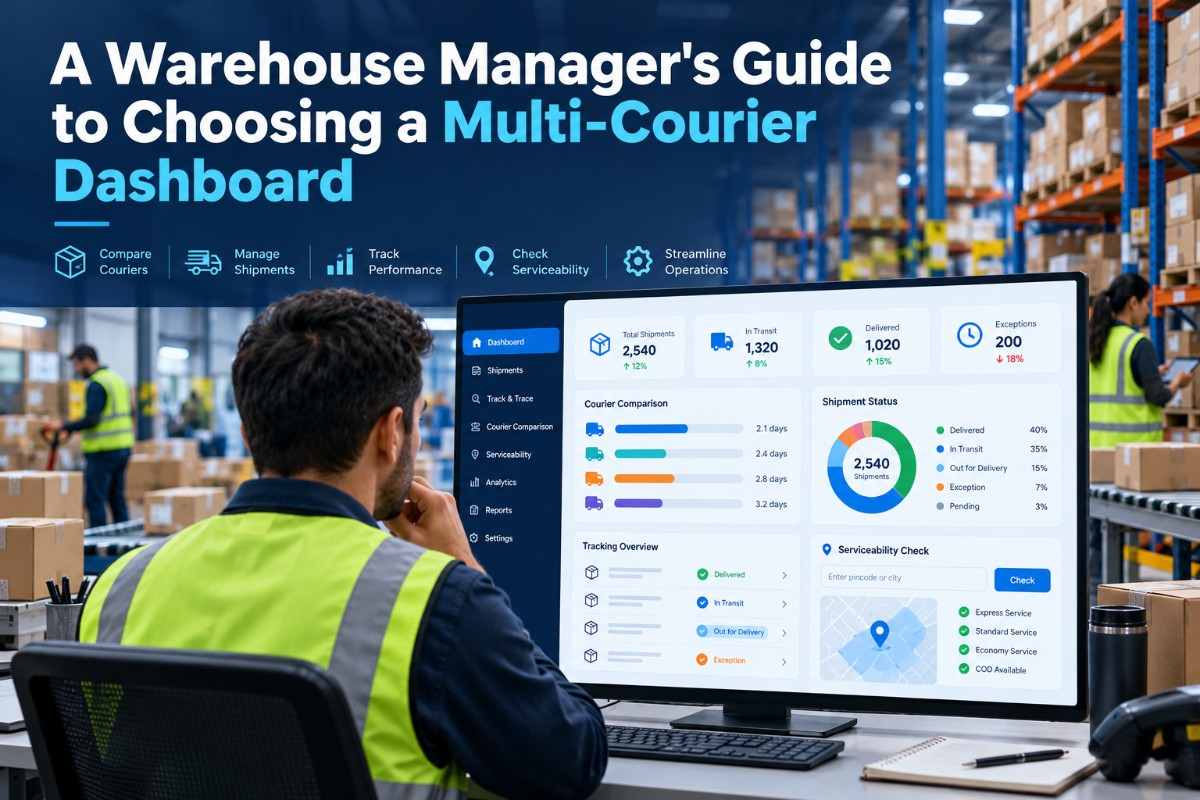
For a warehouse manager, a multi courier dashboard warehouse setup is not simply a software purchase. It becomes the operating layer between order processing, packing, carrier handover, delivery tracking and exception resolution. The right system can bring separate courier workflows into one working view. The wrong one can add another login, another spreadsheet and another source of operational confusion.
This decision matters most when a warehouse handles multiple sales channels, different shipment modes, COD orders, remote pincodes, bulky parcels or a rising daily dispatch volume. Carrier performance also varies by lane, package profile and serviceability. A courier that works well for one destination may be unsuitable for another.
Warehouse managers should therefore evaluate a dashboard against real floor-level requirements. Can the team process orders quickly? Can supervisors identify shipments stuck in transit? Can the business assign the appropriate carrier without relying on memory? Can finance reconcile COD movements and shipping charges? These questions are more useful than judging a platform by its interface alone.
This guide explains what to assess, how to run a practical evaluation and which operational mistakes to avoid before selecting a multi-carrier shipping platform.
A multi-courier dashboard is a central shipping workspace that connects order information with several courier or logistics partners. Instead of signing into individual carrier portals, warehouse and logistics teams can use one system to create shipments, generate labels, assign carriers, monitor tracking events and manage exceptions.
In a warehouse environment, the dashboard typically sits after an order is received and before the parcel is handed over. It may support channel or store connections, order imports, shipment creation, AWB generation, label printing, pickup coordination and status updates. An AWB, or Air Waybill number, is the shipment identification number used for tracking and carrier handling.
The term does not mean that every courier follows identical processes. Each partner may have different serviceable pincodes, weight rules, pickup schedules, COD conditions and return procedures. The value of a central platform is that these differences can be managed from a common operational view.
For a warehouse manager, the system should be judged by how well it supports four working areas:
A dashboard is useful only when it reduces operational decisions that are otherwise handled through calls, chats and spreadsheets.
Shipping errors often originate before a parcel leaves the facility. A wrong pincode, incorrect package weight, duplicate order, unsuitable carrier or missing document can create downstream delays that are difficult to correct after handover. A central system gives the warehouse a more consistent process for checking and executing each shipment.
It also improves coordination between warehouse staff, customer support, finance and logistics leadership. The packing team needs dispatch instructions. Customer support needs shipment status. Finance needs COD and billing information. Management needs carrier performance and exception trends. If every department works from a different source, small data mismatches become recurring operational issues.
Visibility is particularly important for NDR, or Non-Delivery Report, shipments. An NDR may result from an incorrect address, an unavailable customer, a refused parcel or a failed delivery attempt. If the warehouse team sees the issue only after the customer complains, the opportunity to influence the next action may already be lost. A connected workflow makes it easier to identify the shipment, review its status and coordinate the appropriate response.
Carrier diversification also affects continuity. A single partner may face capacity limitations, lane restrictions or temporary service disruptions. Having multiple options gives the business more flexibility, but only if those options can be managed systematically. A dashboard should make carrier choice more controlled, not simply give the team more portals to operate.
Warehouse managers should also consider auditability. When a shipment is disputed, the business may need to check when it was packed, which weight was entered, when the carrier collected it and what delivery event was recorded. A reliable digital trail supports operational reviews and helps identify whether the root cause was inside the warehouse, during transit or at the delivery point.
The most immediate benefit is consolidation. Staff can work with several logistics partners without repeatedly switching between separate systems. This is especially valuable during dispatch peaks, when even small amounts of duplicate data entry can slow the packing line.
Consolidation should not be confused with complete automation. The platform still needs accurate order, address, package and payment information. However, it can reduce the number of manual handoffs required to create and monitor shipments.
Carrier selection should be based on operational criteria rather than personal preference or the last successful shipment. A useful platform should support carrier allocation according to factors such as pincode serviceability, parcel weight, shipping mode, destination, COD availability and business rules.
For example, a warehouse may prefer surface shipping for a heavy domestic parcel, air shipping for a time-sensitive package or a different partner for a remote destination. The exact decision depends on the shipment and the available network. The important point is that the team should be able to apply a repeatable decision process.
A dashboard can group shipments by delayed, undelivered, NDR, returned or pending statuses. This allows supervisors to prioritise action instead of reviewing every tracking number manually.
Exception visibility also helps with staffing. If a large batch of shipments is awaiting a response or reattempt, the manager can assign ownership instead of allowing cases to remain in a shared inbox or informal chat group.
Customer support often receives questions about delivery status, address changes, failed attempts and returns. A shared shipment record gives support teams clearer information and reduces unnecessary requests to the warehouse.
For the warehouse, this means fewer interruptions during picking, packing and dispatch. It also creates a clearer process for cases that do require warehouse action, such as a replacement shipment or return inspection.
A dashboard does not automatically make every shipment cheaper. It can, however, give the business a more organised way to review freight charges, package weights, carrier usage and shipment exceptions.
Managers should look for visibility into dead weight, volumetric weight and discrepancies. Volumetric weight is a space-based calculation used for parcels that occupy more capacity than their physical weight suggests. Accurate dimensions and packaging practices are therefore important when reviewing courier charges.
A growing enterprise may need B2B shipping, B2C shipping, surface, air, rail, PTL, LTL, FTL or international shipping. A platform that works only for a narrow parcel profile may require replacement as the business expands.
Evaluate whether the system can support the warehouse's current mix and likely next stage. The objective is not to buy every capability immediately, but to avoid selecting a tool that cannot support the organisation's operating model.
Start with process ownership. Decide who owns order release, carrier allocation, label correction, NDR action, return approval and billing review. A dashboard cannot solve an unclear responsibility matrix. Assigning owners ensures that alerts and exceptions lead to action.
Use clean master data. Keep product weights, dimensions, addresses, pincodes, phone numbers and payment details accurate. Incorrect master data can lead to serviceability failures, wrong charges, failed delivery attempts and disputes. Review high-error SKUs regularly, particularly products with unusual packaging.
Create shipment rules by profile. Establish practical rules for heavy parcels, fragile goods, COD orders, remote destinations and urgent consignments. These rules should be documented and reviewed when carrier performance changes. Avoid creating so many exceptions that staff cannot understand the standard process.
Monitor operational metrics together. Cost alone can produce poor decisions. Review freight charges alongside delivery success, NDR, RTO, transit ageing, pickup adherence, weight disputes and customer complaints. A low apparent rate may not be attractive if it creates repeated exceptions and support work.
Build a daily exception review. Set a fixed time for supervisors to review pending pickups, aged in-transit shipments, NDR cases, failed reverse pickups and undelivered high-value orders. Daily review is more effective than waiting for month-end reports because many logistics issues are time-sensitive.
Keep fallback procedures documented. Systems and carrier integrations can experience interruptions. Define how the warehouse will handle urgent dispatches, label reprints, carrier downtime and reconciliation after service resumes. A fallback process reduces panic and prevents uncontrolled manual work.
Train by role, not with one generic session. Packers need order selection, scanning and label steps. Supervisors need allocation, exceptions and reports. Finance needs COD and billing visibility. Support teams need tracking and delivery-event interpretation. Role-specific training improves adoption and reduces avoidable errors.
Review the platform after implementation. Hold a regular review with warehouse, support, finance and logistics stakeholders. Discuss recurring exceptions, unused workflows, carrier changes and new shipment types. The most effective dashboard configuration will evolve as the operation changes.
Warehouse leaders comparing platforms can also review this practical guide on choosing a shipping aggregator and the operational considerations covered in Shipmozo's guide to enterprise shipping software.
A quoted rate does not capture every operational cost. Weight discrepancies, remote-area charges, return movement, failed delivery attempts, support time and delayed remittance can affect the real cost of a shipping decision. Compare the complete workflow and the quality of available shipment data.
Senior decision-makers may focus on integrations and reports while overlooking the packing station. If users need excessive clicks or repeatedly enter information, adoption will suffer. Observe an actual user completing common tasks before approving the system.
Different partners have different strengths by lane, product, package size and service type. A dashboard should help the business measure and manage these differences. It should not encourage a single universal carrier rule without evidence.
Demos commonly show a successful order moving from creation to delivery. Ask instead what happens when an address is wrong, an order is cancelled after label creation, a pickup fails, a customer is unavailable or the parcel is returned. Exception handling is where much of the warehouse team's effort is spent.
Clarify which teams can view, edit, cancel or reassign shipments. Check how user activity is recorded and how information is shared with internal stakeholders. Role-based access is important when multiple facilities or departments operate in the same environment.
Without agreed evaluation criteria, every stakeholder forms a different opinion. Set measurable operational questions in advance, such as whether dispatch steps are simpler, exceptions are easier to prioritise and reporting is more consistent. The pilot should produce evidence for a decision.
Automation is useful when the underlying data and rules are sound. It cannot compensate for inaccurate dimensions, incomplete addresses, poor packing discipline or unclear ownership. Improve the process and configure the system together.
The right choice depends on the warehouse's complexity, not on the number of buttons shown in a product demo. Use the following comparison when assessing the main operating approaches:
For an enterprise warehouse, the most relevant comparison is usually between fragmented carrier operations and a connected multi-carrier workflow. Review how each option handles daily volume, multiple facilities, B2B and B2C orders, COD, returns, reporting and operational ownership. You may also find the discussion on managing multiple couriers useful when preparing questions for vendor demonstrations.
Choosing a multi courier dashboard warehouse solution should begin with the warehouse's actual operating constraints. Evaluate order flow, carrier allocation, dispatch usability, tracking, NDR, returns, billing, reporting and user responsibilities together. The strongest option is not necessarily the one with the longest feature list. It is the one that gives teams a consistent way to process shipments and respond to exceptions.
For an enterprise operation, Shipmozo can support the evaluation through multi-courier shipping, carrier allocation, order management and real-time shipment tracking. These capabilities are directly relevant when a warehouse needs one operating view across carriers, shipment modes and delivery stages. Start with a controlled pilot using representative orders, then expand after users and stakeholders validate the workflow.
Start Shipping Today
Look for centralised order processing, carrier allocation, label and AWB generation, tracking, NDR and return workflows, reporting, billing visibility, user controls and support for the warehouse's shipment profiles. Test these capabilities with real operational scenarios rather than relying only on a product demonstration.
It can reduce errors caused by repeated manual entry, fragmented portals and unclear shipment status when the system is configured correctly. It does not remove errors caused by inaccurate addresses, weights, dimensions or poor packing discipline, so master-data quality and process training remain essential.
Test allocation using different pincodes, parcel weights, dimensions, payment types and shipping modes. The evaluation should show how the platform handles serviceability, carrier preferences, unavailable options and exceptions. Decisions should be based on operational suitability rather than the lowest displayed rate alone.
NDR and return workflows identify shipments that need action after an unsuccessful delivery attempt or a return request. Clear visibility helps teams prioritise reattempts, customer coordination, reverse pickups, receiving and inspection instead of allowing these cases to remain hidden in separate carrier portals.
Yes. A controlled pilot using representative orders can reveal integration gaps, user-training needs, dispatch friction, reporting limitations and exception-handling problems. Include warehouse, logistics, customer support and finance users so the decision reflects the complete operating process.


Diveya Mehta is a marketing and content specialist with 3+ years of experience, currently working with Shipmozo. With 1 year of hands-on experience in logistics, she creates practical, insight-driven content focused on shipping, courier performance, and eCommerce growth.





.webp)